
Short answer: a DIY photo booth is a phone or tablet on a stand, a light in front of your guests, a backdrop behind them and an app with a countdown. It works for a small, casual party where nobody minds phone-quality photos and no prints. For a wedding, or anything over about 50 guests, renting a self-serve booth usually costs about the same as buying the gear, and nobody has to run it.
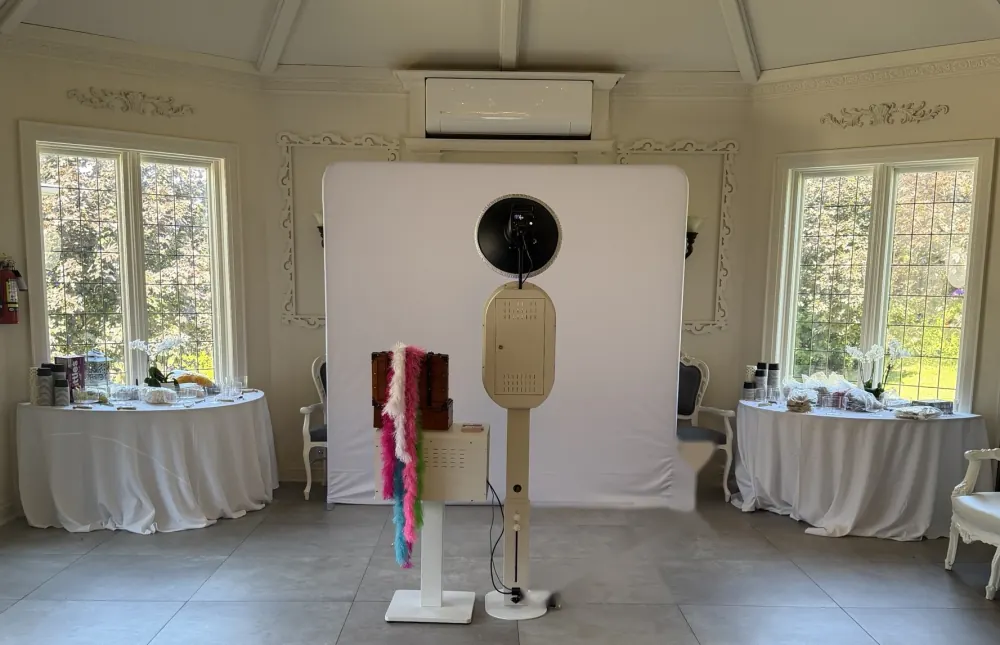
How to set up a DIY photo booth
- Pick the spot. A wall or corner near an outlet, off the main walkway, with room for a group to stand a couple of steps in front of the backdrop so their shadows fall out of frame.
- Hang the backdrop. Fabric, sequin or a plain wall, on a stand and wide enough for six people shoulder to shoulder.
- Set the camera at eye level. A phone or tablet on a tripod, turned sideways for groups. If your app works with a remote, use the rear camera: it is sharper than the front one.
- Light from the front. A ring light or LED panel beside the camera, a little above eye level. Keep windows and bright lamps behind the camera, never behind the guests.
- Choose an app. Look for a countdown, a few photos per session and an easy way to share: text, a QR code or a shared album.
- Add props and a sign. A small table, a handful of props and a card that says how it works. Our free printable props cover the signs.
- Test it in the room. At the time of day of the party, with a group of six, before guests arrive.
DIY vs rental side by side
| DIY booth | Rented self-serve booth | |
|---|---|---|
| Camera | Phone or tablet front camera | Mirrorless camera |
| Light | Ring light or room light | Studio flash |
| Prints | Rarely; home printers are slow | Unlimited strips with Snap & Print |
| Backdrop and props | You buy them | 12 backdrops and a props kit with Snap & Print and Complete |
| Setup and pickup | You, on the day | Delivered, set up and collected the same night |
| Who runs it | A friend, or nobody | Guests run it on a touchscreen |
| Photos afterward | Scattered across phones | One online gallery with every shot |
| Cost | A few hundred dollars in gear, plus your time | $449 to $599 for the evening |
What a DIY booth really takes
- Gear. A tripod or tablet stand, a ring light, a backdrop and stand, props and a photo booth app. Bought new, that adds up to a few hundred dollars before you add a printer.
- Prints. The part most DIY setups skip. A home inkjet is slow and smudges; a dye-sublimation photo printer is fast but is a big purchase for one party.
- A test run. Lighting, framing for groups and the app's settings all need a rehearsal in the actual room, ideally at the time of day of the party.
- Someone on duty. Batteries die, apps freeze, the tripod gets bumped. At a wedding, that person is usually a guest who would rather be dancing.
When DIY makes sense
- A small house party or kids' birthday where phone photos are fine.
- You already own a decent light and a backdrop.
- No prints needed, and someone happy to keep an eye on it.
When renting makes sense
- Weddings, milestone birthdays and anything over about 50 guests.
- You want prints guests can take home, or a guest book made of photo strips.
- Nobody in the wedding party should spend the night babysitting a tablet.
A self-serve booth sits in the middle: no attendant fee like an attended booth, none of the DIY work. See what each package includes on the pricing page, or check your date.
Quick answers
How much does a DIY photo booth cost?
Bought new, a stand, a light, a backdrop and props come to a few hundred dollars, and a fast photo printer adds more. That is close to the $449 to $599 a self-serve rental costs for the whole evening.
Can I use an iPad as a photo booth?
Yes. A tablet on a stand with a photo booth app works for casual parties. The limits are the front camera, the lighting and prints: most setups are digital only.
What is the hardest part of a DIY booth?
Light. A ring light is fine for one or two faces; a group of six at night needs a real flash to stay sharp. Second hardest: someone has to keep it charged and running.
Is a rented self-serve booth hard for guests to use?
No. Guests tap a big touchscreen, pose and pick print or text. Grandparents figure it out on the first try.
Still have a question? See the photo booth FAQ, or browse booths for birthdays, proms and parties.